To verify a broker's licensing status in Turkey, investors can access CMB's database via the provided link https://spk.gov.tr/faaliyet-izinleri/araci-kurumlar.
Click on the search bar labeled "Kurum Seçiniz", which is titled "Araci Kurum". This will prompt a drop-down list of brokerage firms. You can then check if your target broker is included in the list. Select the name of the entity and click the button labeled "Göster" located beside the search bar. The details of the selected company will then be displayed below these search bars.
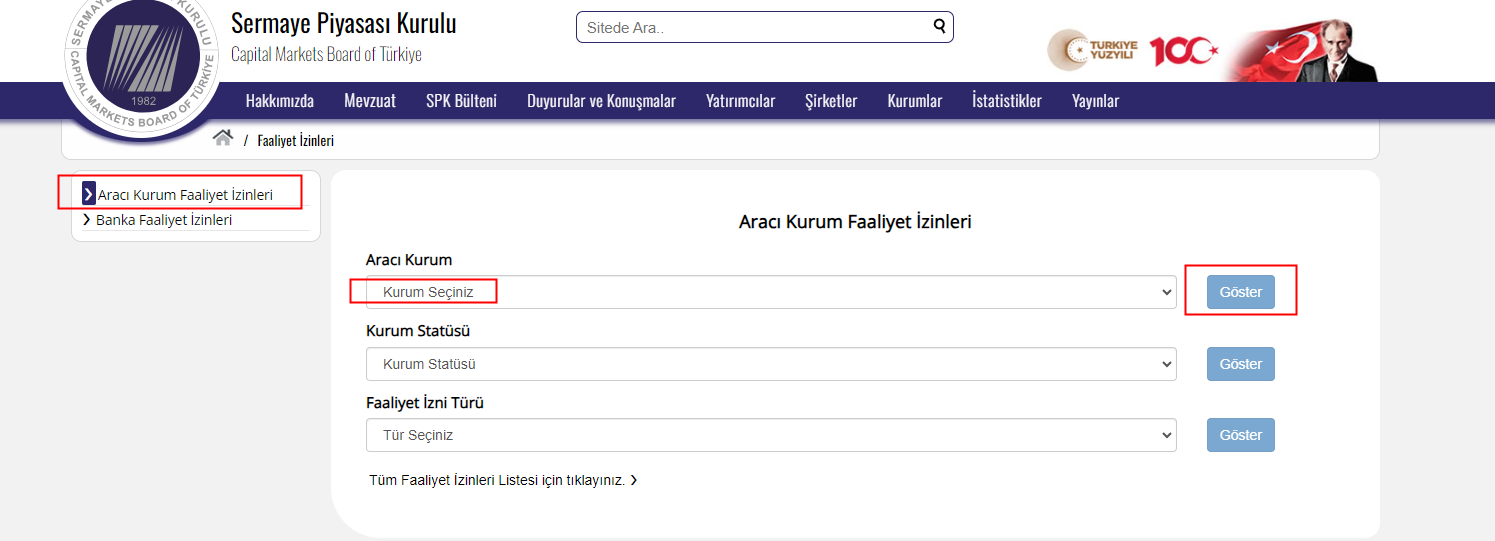
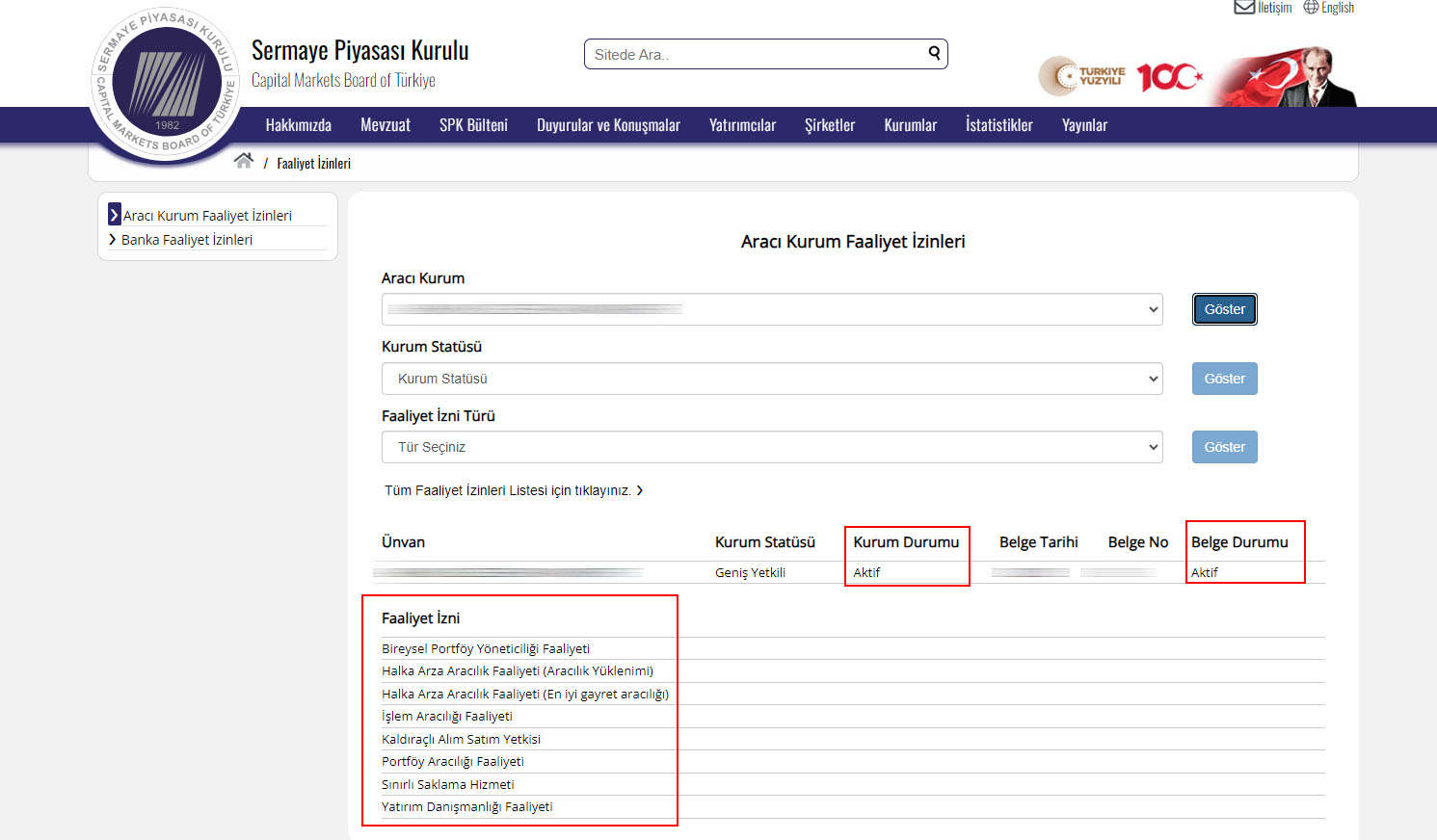
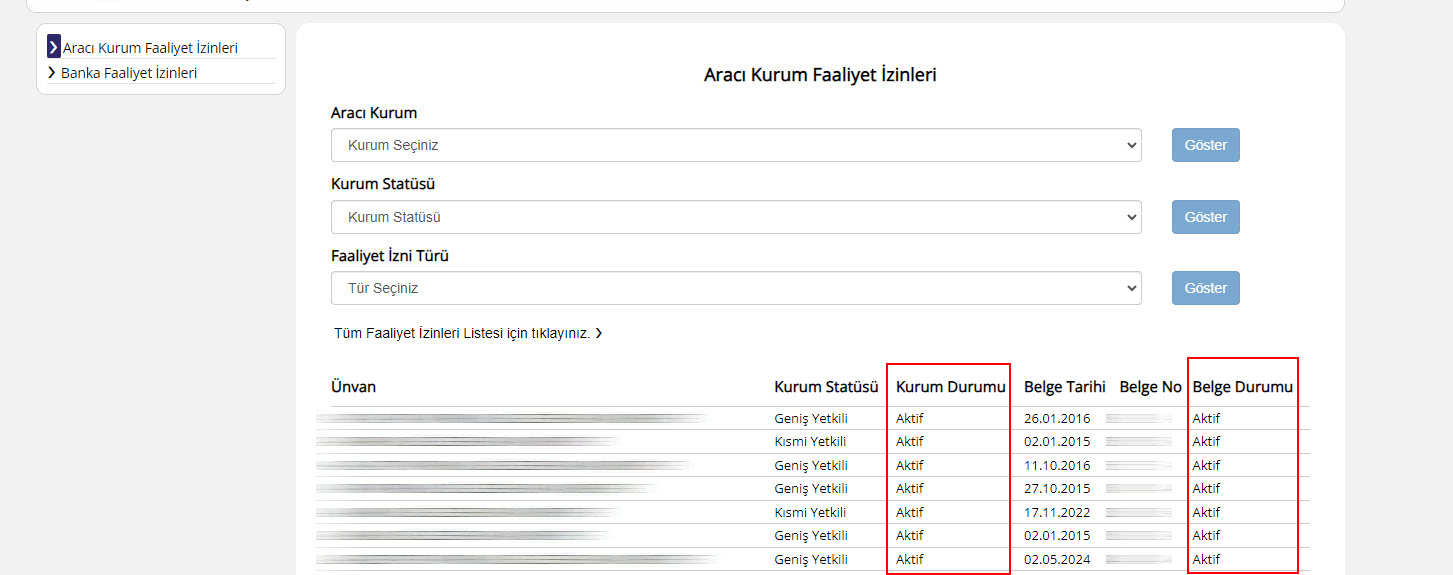
Alternatively, you can directly click on the link labeled "Tüm Faaliyet İzinleri Listesi için tıklayınız." This means "Click here for the List of All Activity Permits", which provides you the complete list of firms.
Note:
Recently, it appears that the English version of CMB is undergoing some issues. As a result, successful searches can currently only be conducted on the Turkish version.
Here are the translations of the relevant keywords. Please note that these translations are sourced from Google Translate and are intended for reference purposes only.
1) Aracı Kurum Faaliyet İzinleri: Brokerage Institution Operating Permits
2) Aracı Kurum: Brokerage Institution
3) Kurum Seçiniz: Select Institution
4) Kurum Statüsü: Institution Status
5) Faaliyet İzni Türü: Activity Permit Type
6) Tür Seçiniz: Select Type
7) Ünvan: Title
8) Kurum Durumu: Institution Status
9) Belge Durumu: Document Status
10) Aktif: Active
11) Aktif Değil: Inactive
12) Geçici Kapalı: Temporarily Closed